
Student & Alumni Job Board
All U of A students and alumni
The main board. Part-time and summer student jobs, internships, work experience, and new-graduate roles, filtered by area of study.
The university's own job board — student and alumni postings, and GSIP internships for graduate students.
All U of A students and alumni
The main board. Part-time and summer student jobs, internships, work experience, and new-graduate roles, filtered by area of study.
Master's and PhD students only
Paid internships with private, public, and not-for-profit employers. Undergraduates will not see this board.
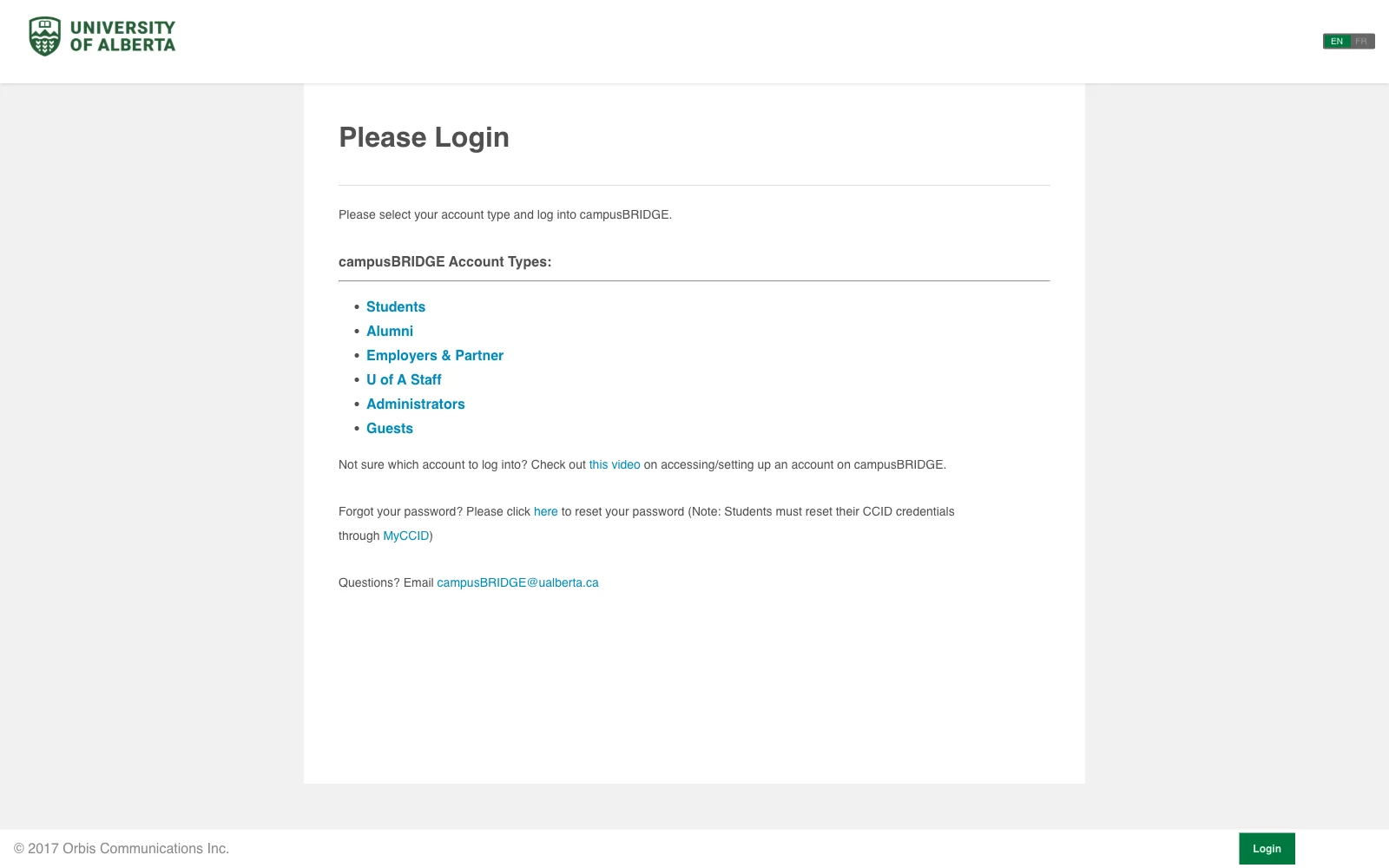
Go to campusbridge.ualberta.ca. The login page asks which kind of account you have — choose Students. That hands you to the usual University of Alberta sign-in, where you enter your CCID and password and confirm with two-factor authentication.
Tip Alumni, employers and staff each have their own account type on this page. While you are still registered, you are a Student — picking the wrong one sends you to a login that will not accept your CCID.
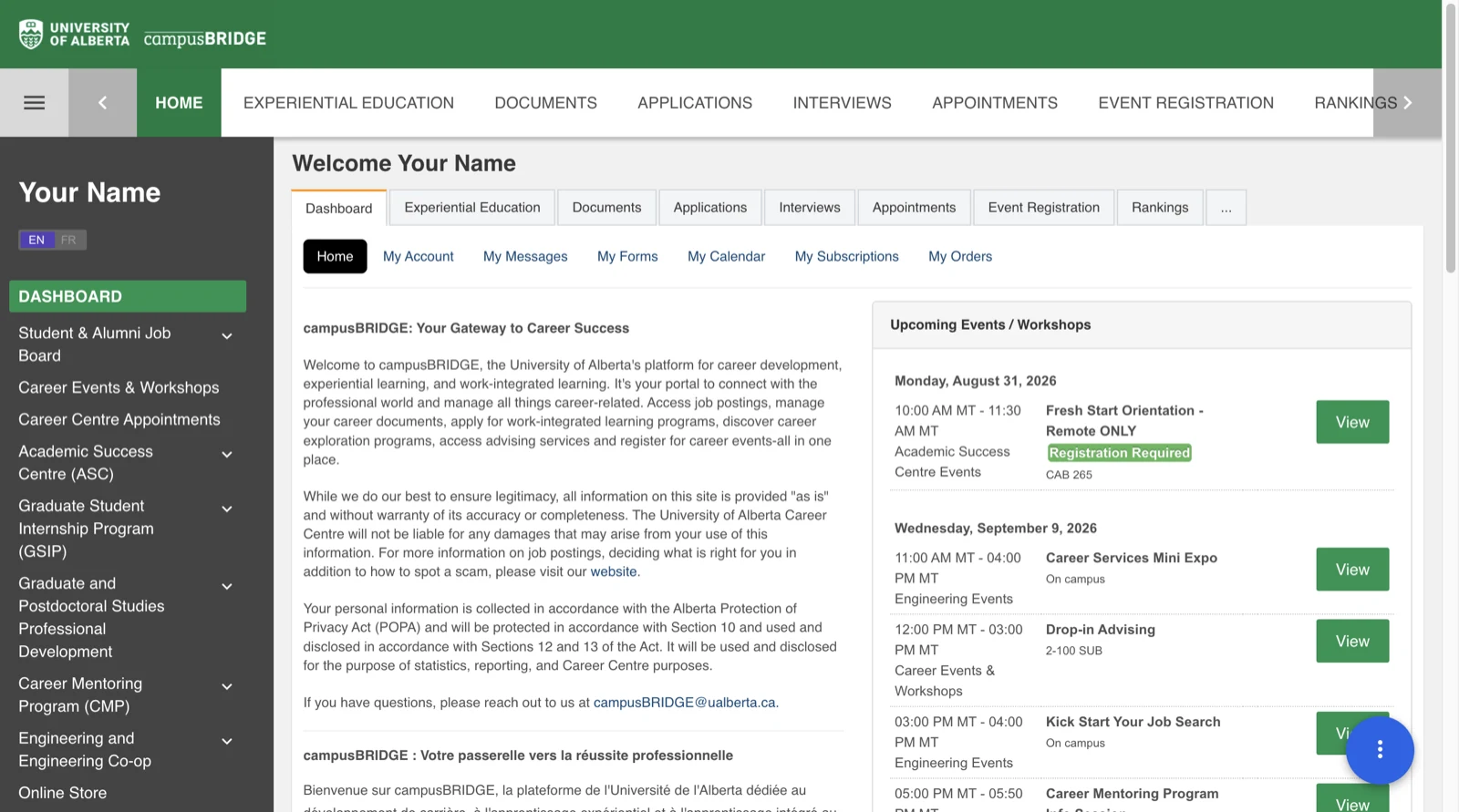
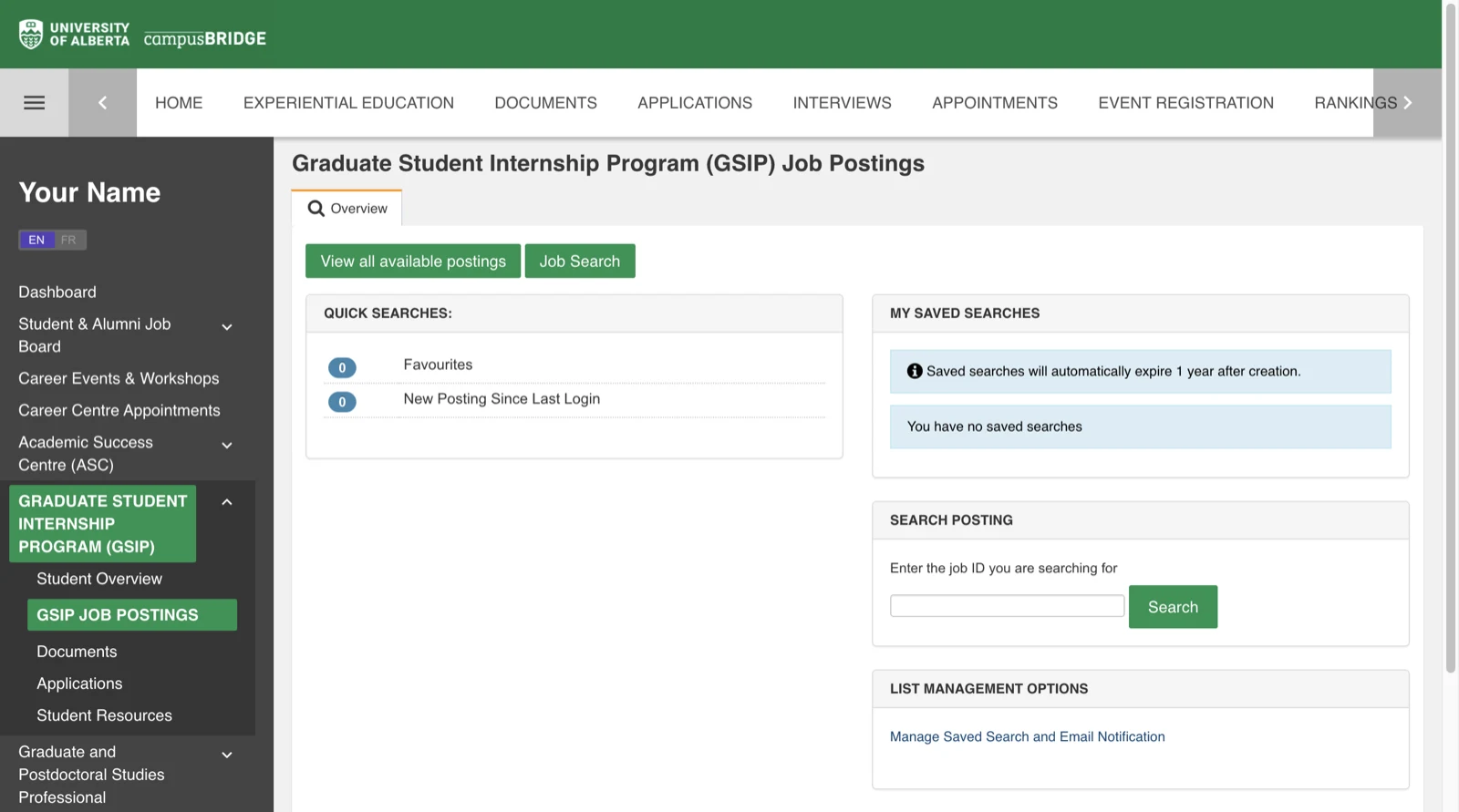
After signing in you land on the dashboard. Everything you need is in the dark sidebar on the left: Student & Alumni Job Board for the main listings, and Graduate Student Internship Program (GSIP) below it if you are a graduate student. Click a heading to expand it, then choose the Job Postings item underneath.
Tip The same sidebar carries Career Events & Workshops, Career Centre Appointments, and an Engineering and Engineering Co-op section. The dashboard's right column lists upcoming workshops, which are worth a look while you are here.
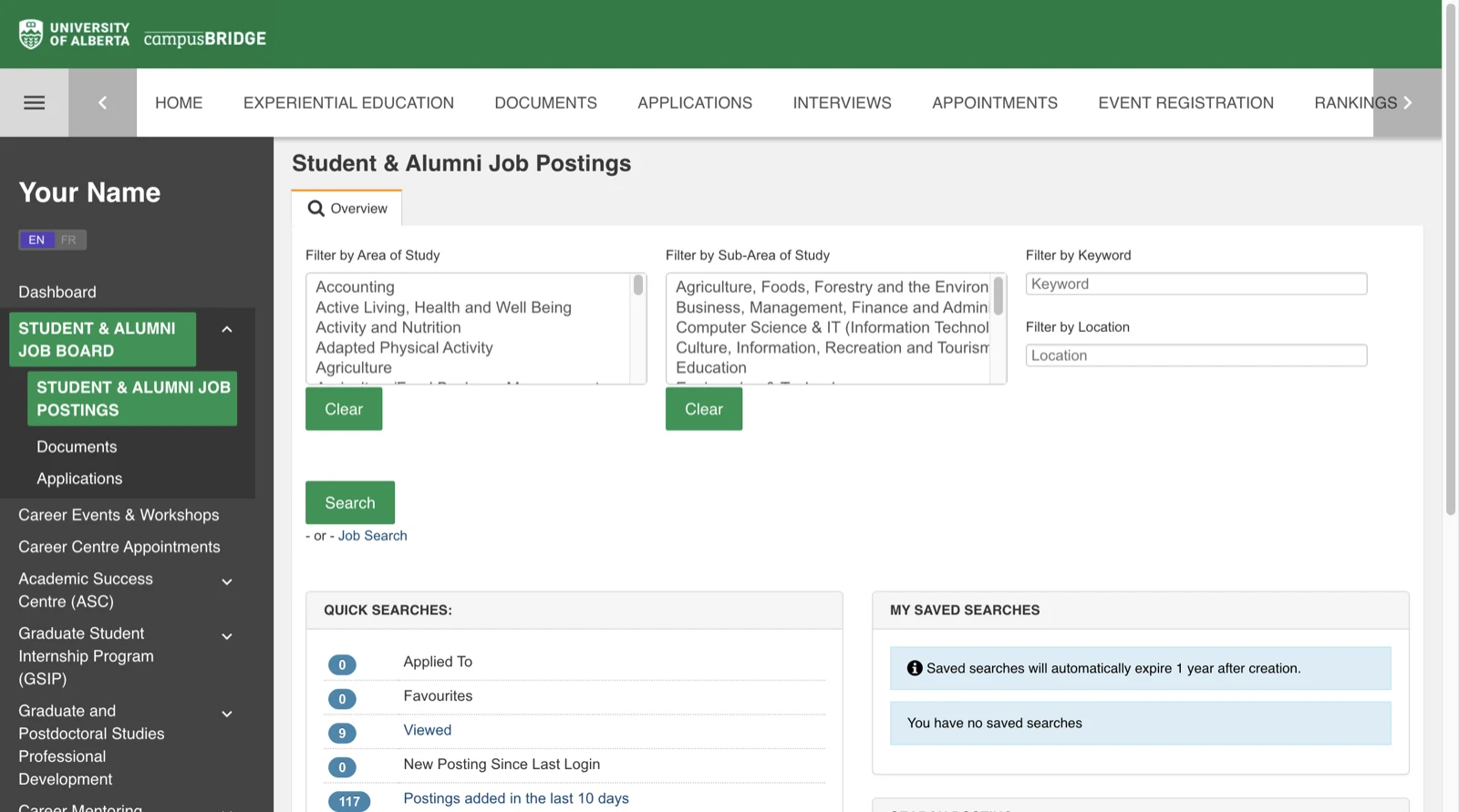
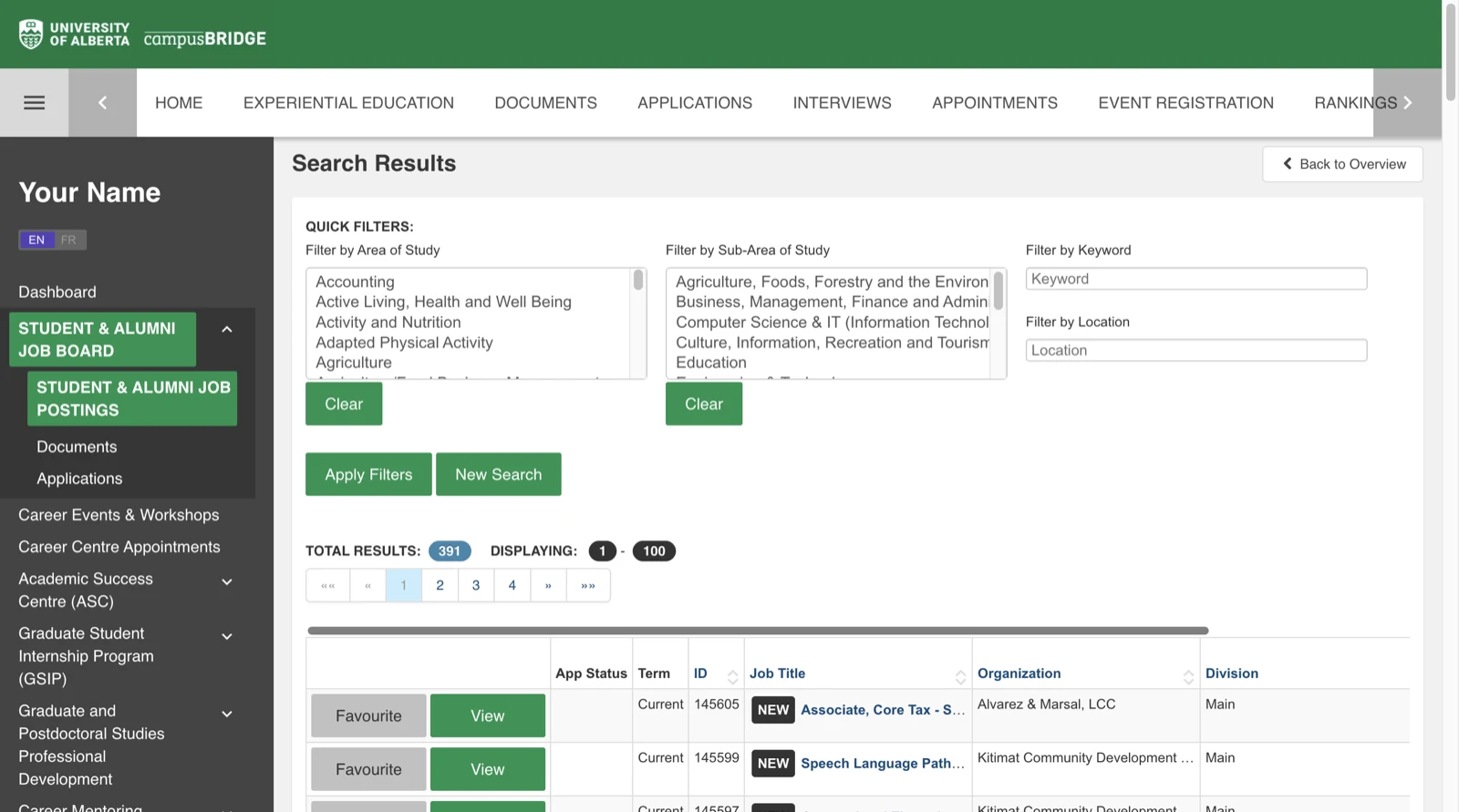
The postings page opens on an overview with four filters: Area of Study, Sub-Area of Study, Keyword, and Location. Pick an area, add a keyword if you have one, and press Search. The Quick Searches panel underneath is the fastest way in — Postings added in the last 10 days shows you what is new without setting any filters at all.
Tip Do not search only for "internship". The same kind of role gets posted as summer student, research assistant, co-op student, student assistant, or work experience. Run several searches with different words rather than trusting one.
If you are a master's or PhD student, open GSIP Job Postings as well. It works a little differently — View all available postings lists everything at once, and Job Search lets you narrow it down. There is also a Search Posting box for looking up a specific job ID someone has sent you.
Tip GSIP is a separate board with its own postings, documents, and applications. Anything you uploaded on the Student & Alumni side does not automatically carry over.
Results come back as a sortable table — job title, organization, division, closing term, and an ID. View opens the full posting; Favourite saves it for later. Before you apply, read the posting for the deadline, the eligibility rules, the hours, and exactly which documents are wanted, then upload them under Documents and submit. Stay on the page until you see a confirmation.
Tip Check your work permit before you apply. On-campus work, off-campus work, and Co-op or internship placements have different rules for study permit holders, and a placement usually needs its own work permit.
Every job posted by U of A departments and units, including the ones students are eligible for. No login needed to browse.
Student-friendly roles with the University of Alberta Students' Union.
Research assistantships, teaching support, and program-specific roles are often advertised locally rather than on a central board — ask your department administrator or check its website.
Screenshots were captured from a signed-in student account on August 29, 2026, with personal details replaced. campusBRIDGE changes its interface from time to time, so treat the labels as a guide rather than an exact match. Last verified: August 29, 2026.
Back to top